4 pages 0 emails
7 Screenshots
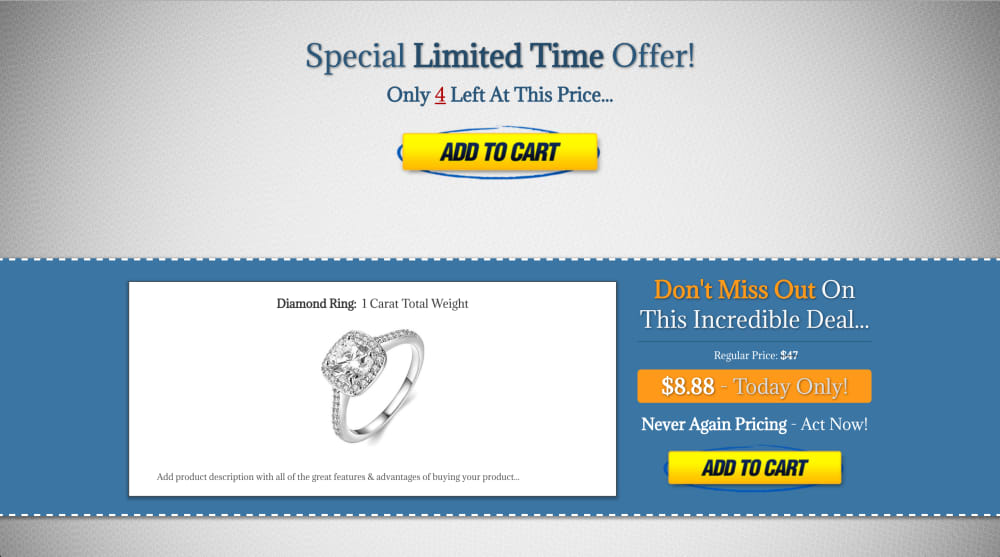
1.) ORDER PAGE
**View Live Page** [https://tryout.clickfunnels.com/limited-time-offer](https://tryout.clickfunnels.com/limited-time-offer) ___________________________________________________________________________________________ - This page will showcase all of the incredible benefits and features of your initial product offer & optional order bump, while emphasizing the limited amount of time and quantities left for this product... ____________________________________________________________________________________________ CHANGES NEEDED FOR THIS PAGE/SECTION: - ____________________________________________________________________________________________ - *Individual products will need to be created in the Products tab for this page for both the initial product offer and the optional order bump product...* - *Product price, product title text, product image, and product description need to be updated to your initial product offers details...* -
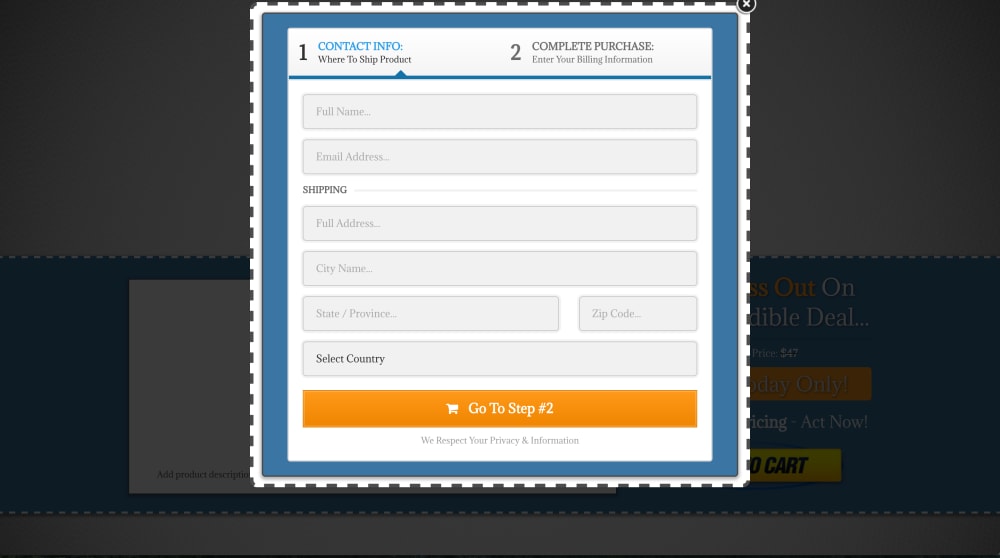
2.) ORDER FORM
___________________________________________________________________________________________ - When the customer clicks on either of the two "Add To Cart" buttons, the pop up will open containing a 2 step order form and an optional "order bump" offer for your customer to purchase... ____________________________________________________________________________________________ CHANGES NEEDED FOR THIS PAGE/SECTION: - ____________________________________________________________________________________________ - *If you are not offering an optional order bump product, then you will need to "hide" the order bump in the order form's step 2 settings...* - *If you are not shipping a physical product to your customers, then you can choose to "hide" the shipping details section in the order form's step 2 settings...* -
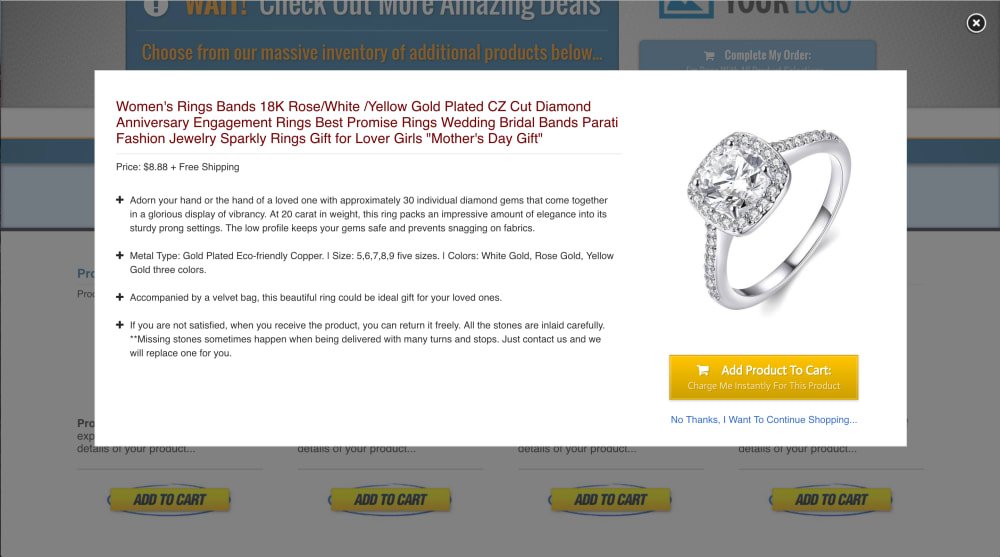
3.) SINGLE PRODUCT PAGE
**View Live Page:** [https://tryout.clickfunnels.com/single-product](https://tryout.clickfunnels.com/single-product) ____________________________________________________________________________________________ - Each product available for sale on the main products page will be contained within it's own page, and shown as a pop over when the clickpop image (Add To Cart) is clicked for a specific product... ____________________________________________________________________________________________ CHANGES NEEDED FOR THIS PAGE/SECTION: - ____________________________________________________________________________________________ - *Copy/Paste the "Main Products Page" link into the text link that says "No Thanks, I Want To Continue Shopping" hyperlink field to allow the customer to return to the products page...* - *Copy/Paste the "Main Products Page" link into the redirect override section of the page editor settings to allow the customer to return to the products page & continue shopping after clicking the "Add To Cart" button to purchase a specific product...* - *Individual product funnel steps will need to be created for each product that you would like to offer by clicking on the "Clone Funnel Step" tab on the bottom right of the overview tab...* - *Product price, product title text, product image, and product description/features need to be updated for each new product page...* - *The path for each new product page will need to be updated under the page settings by clicking the gear icon next to the yellow Edit Page button in your products funnel step...* - *Use the image URL below in the Publishing tab for each product page to create an image clickpop for each of your product pages, before copying/pasting the clickpop code into the corresponding custom Javascript/HTML element on the main products page...*

4.) ADD TO CART BUTTON:
**[https://images.clickfunnels.com/uploads/image/image_file/5397649/full_Add_To_Cart.png](https://images.clickfunnels.com/uploads/image/image_file/5397649/full_Add_To_Cart.png)** - Right click the URL above to open it in a new window, right click the image on the page, click "Save Image As", and name the image "Add To Cart Button" before saving the image to your computer... ____________________________________________________________________________________________ -
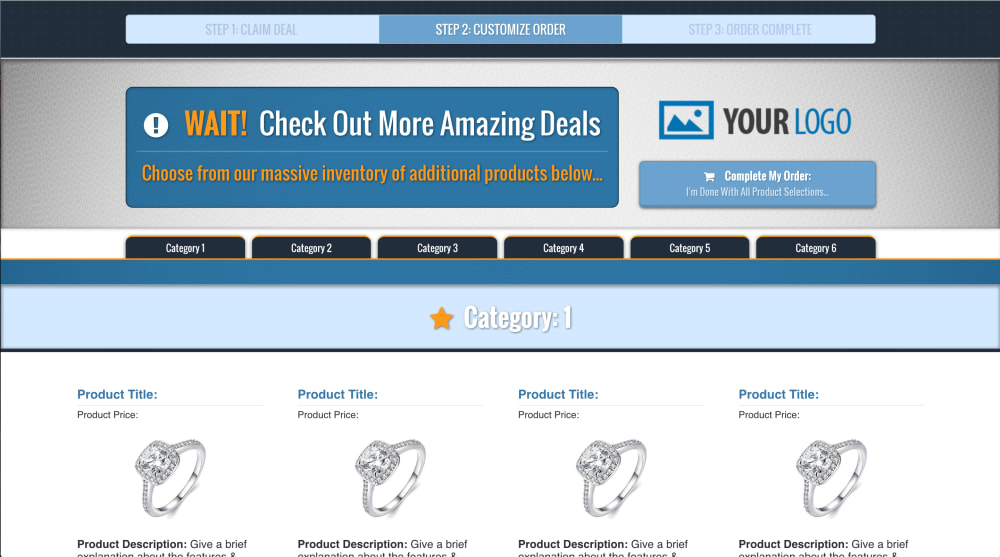
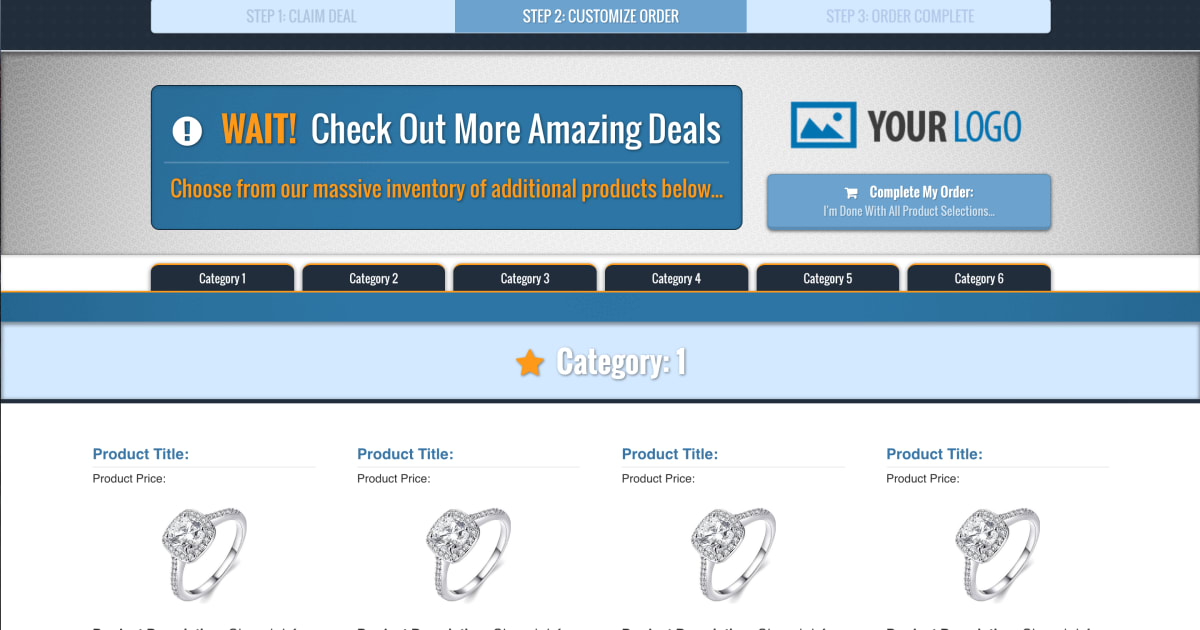
5.) MAIN PRODUCTS PAGE
**View Live Page:** [https://tryout.clickfunnels.com/more-products](https://tryout.clickfunnels.com/more-products) ____________________________________________________________________________________________ - This page contains multiple categories for all of your products that your customers can choose from... ____________________________________________________________________________________________ CHANGES NEEDED FOR THIS PAGE/SECTION: - ____________________________________________________________________________________________ - *Individual products will need to be created in the Products tab for this page for both the initial product offer and the optional order bump product...* - *Product price, product title text, product image, and product description need to be updated to your initial product offers details...* - *Copy/Paste the "Order Confirmation Page" link into the URL Action field of the buttons at the top and bottom of the page that say "Complete My Order"...* - *Each category tab at the top of the page will need to be updated with the same name of the corresponding product category on the page...* -
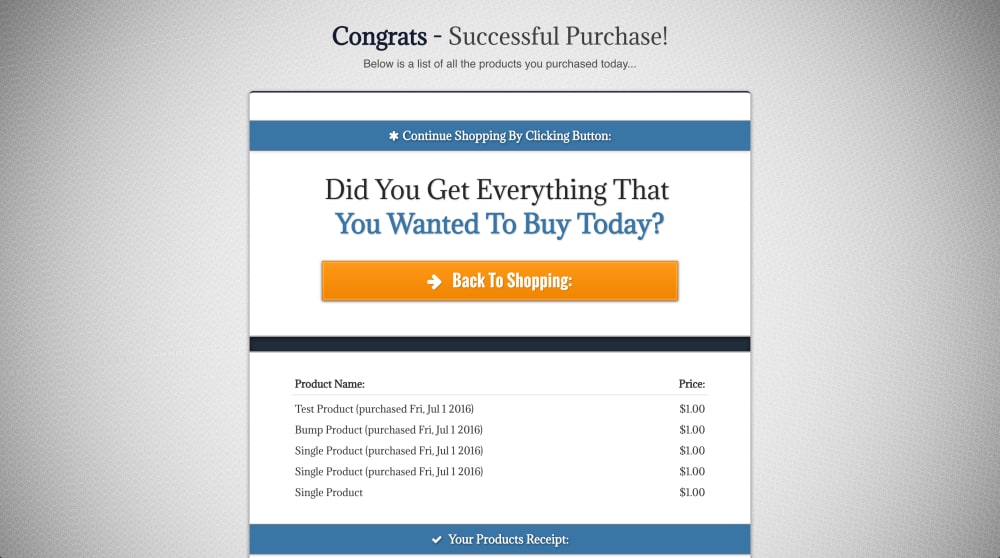
6.) ORDER CONFIRMATION
**View Live Page:** [https://tryout.clickfunnels.com/order-complete](https://tryout.clickfunnels.com/order-complete) ____________________________________________________________________________________________ - This final order confirmation page will display a list of all the products purchased, and allow the user to go back to shopping if the want to continue buying more products... ____________________________________________________________________________________________ CHANGES NEEDED FOR THIS PAGE/SECTION: - ____________________________________________________________________________________________ - *Copy/Paste the "Main Products Page" link into the URL Action field of the button that says "Back To Shopping" hyperlink field to allow the customer to return to the products page and buy more of your products...* -
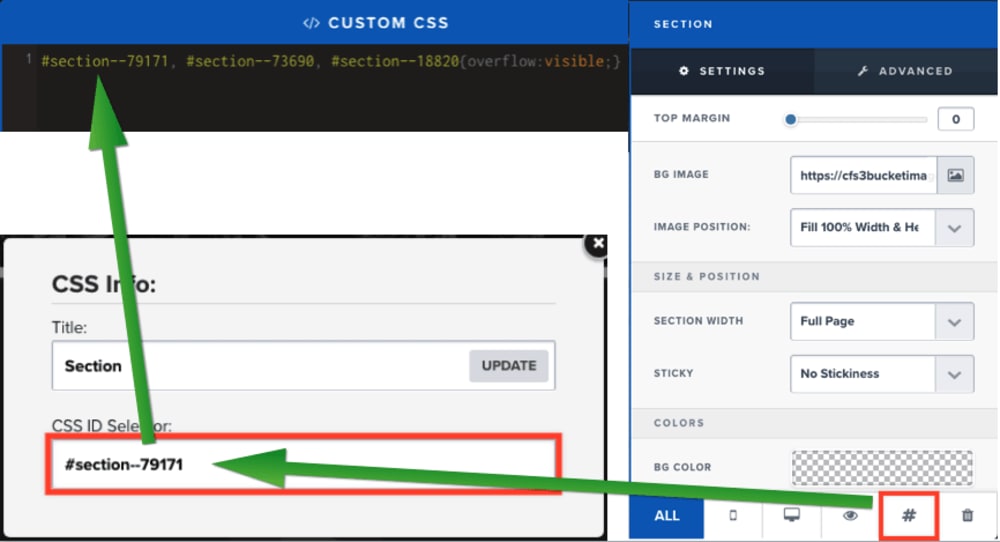
Custom CSS Code:
This funnel contains custom CSS code that allows the overflow of a lower section to be visible over the top of another section. You can edit this code to reflect the corresponding section ID found in the CSS settings of the section that you wish to display on top by removing the existing section ID in the CSS settings of the page editor, and pasting in the new section ID in it's place while separating multiple sections by commas as shown in this screenshot. **Remember to save the page editor after making this change to allow the visual effect to show on the live version of the page...
Frequently asked questions
- Question: Who would benefit from using this funnel?
- **Answer:** Anyone can use this funnel to sell as many digital or physical products as they want... ____________________________________________________________________________________________
- Question: What if I don't have enough products to fill all the categories?
- **Answer:** Simply open the "Columns" tab on the right side of the Products Page editor, and click the eyeball icon (starting with Category 6 and working backwards) next to the column that contains each Category tab that you will not be using to hide this tab on the page. You will also need to open the "Section" tab in the Product Page editor to also "hide" the sections containing the content for the same unused category tabs that were hidden in the step above... ____________________________________________________________________________________________
- Question: Is there an 'Advanced' version of this funnel?
- **Answer:** Yes! **[DoneFunnels.com](https://DoneFunnels.com)** offers the advanced version of this Ecommerce funnel, as well as 100% customizable funnels built on demand to fit any businesses needs... ____________________________________________________________________________________________
- Question: Do you offer direct help with funnels?
- **Answer:** Yes! Send me your questions to [donefunnels@gmail.com](mailto:donefunnels@gmail.com) I will be happy to provide guidance for most questions about how to set up this funnel correctly...