4 pages 0 emails
4 Screenshots

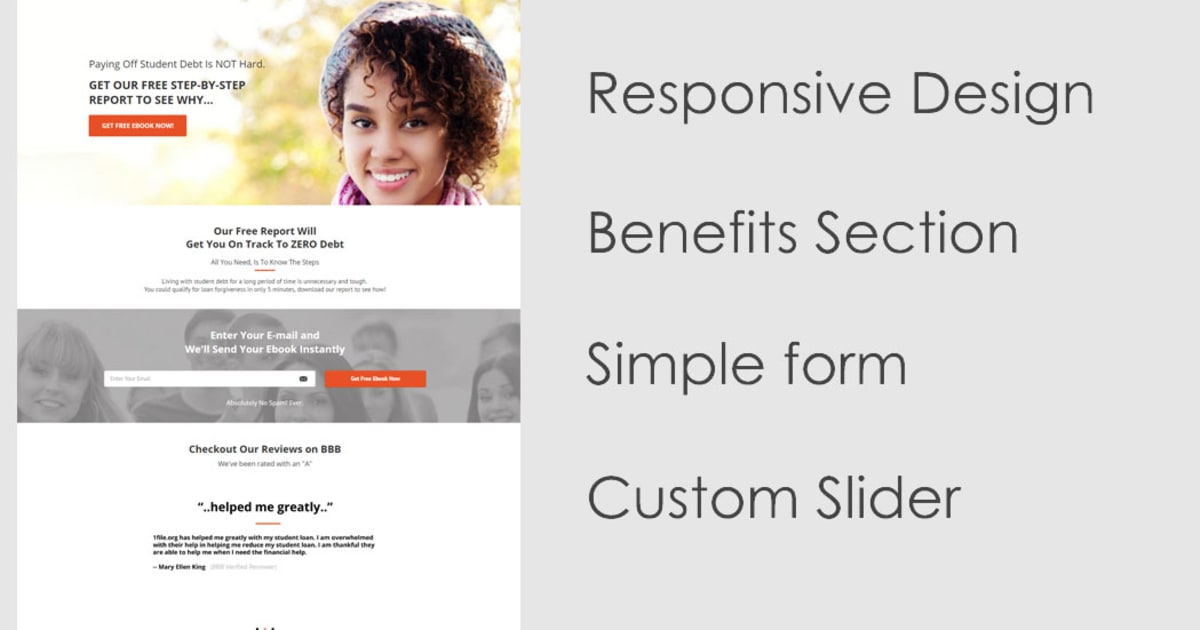
Primary Opt In Page
Contains single field form (for low barrier to action) to capture the important information before continuing to the next steps. This funnel page also features a custom HTML/JS script to rotate through images, used here with testimonial images. It features two ways to grab the email address. 1) Button pops up a form 2) Embedded right on the page in the third section. This part of the funnel delivers to email integration 1 (the opt in list)
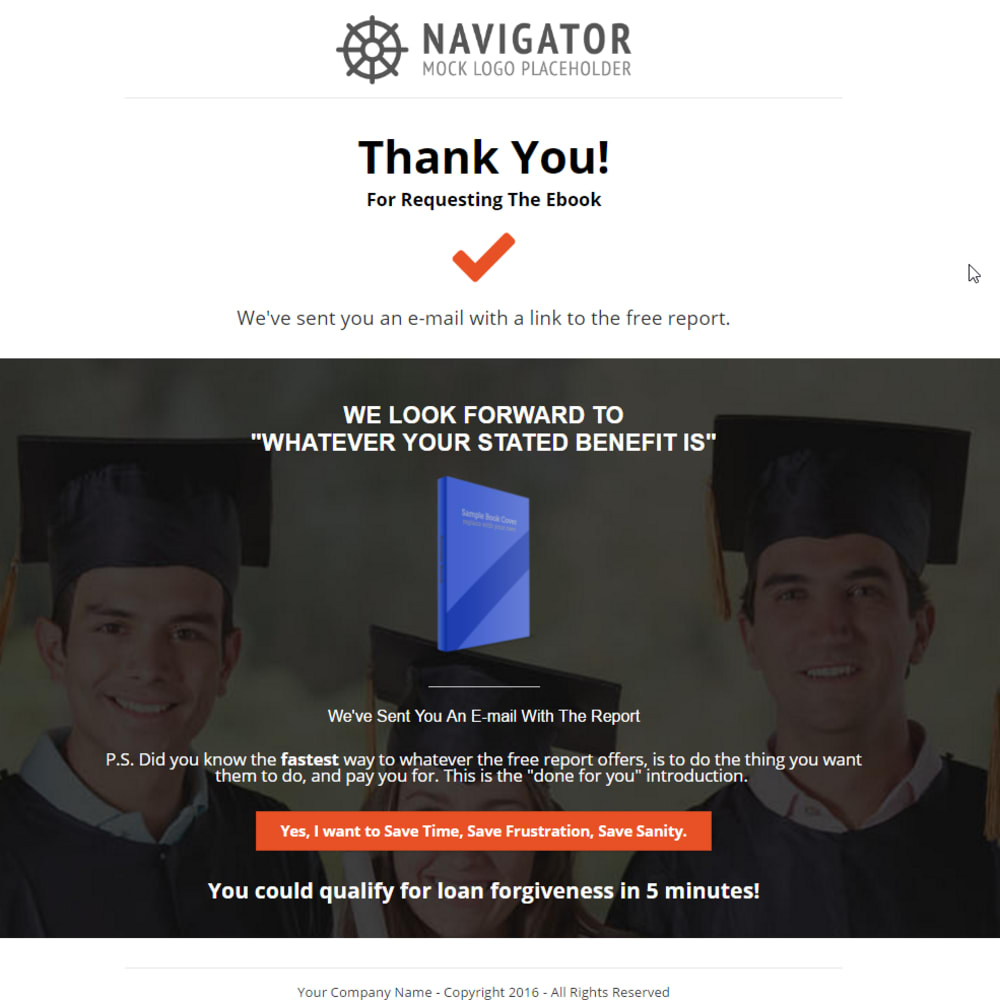
Request Additional Info From Thank You Page
If they've raised their hand and expressed additional interest in the "done for you" option, you should put them on a new list (although this part is optional and can also just increase the amount of information on that contact record). This thank you page represents the end of the web pages for the funnel. The remainder of the marketing will be done via email.
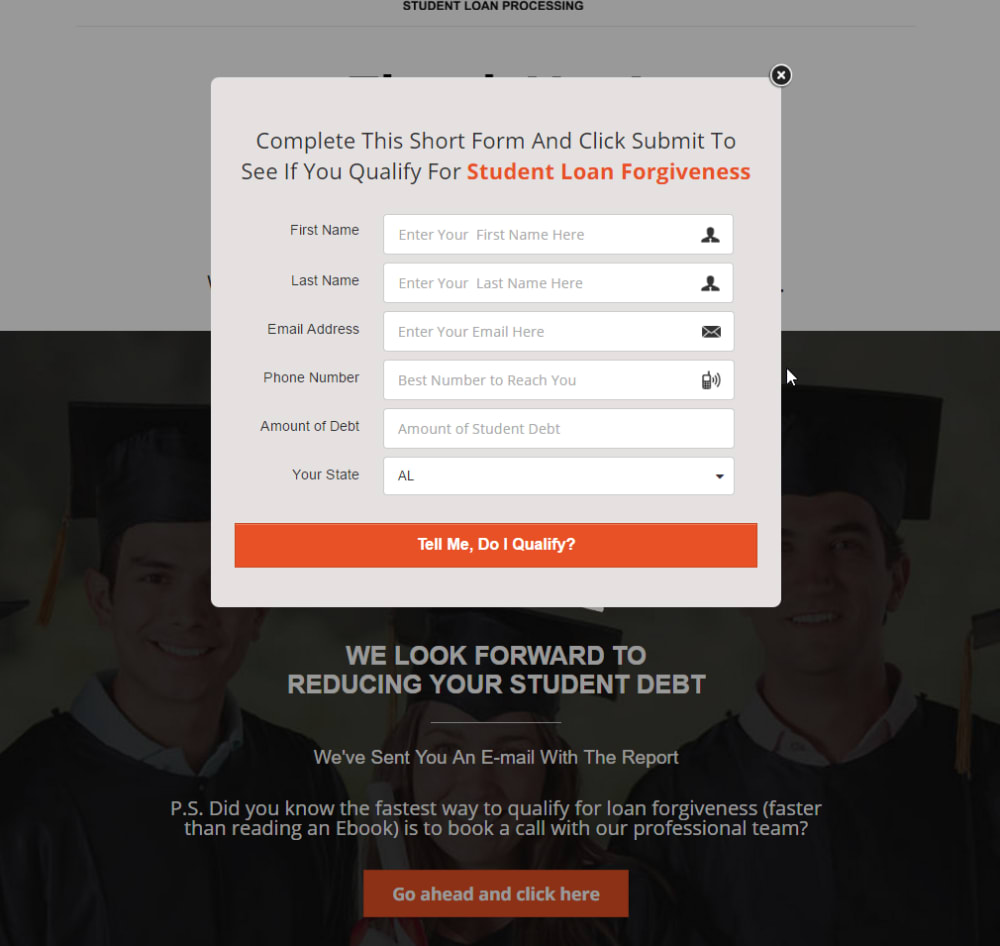
Done For You Service Opt In
If the visitor clicks the new button on the thank you page, a popup requesting additional information (with the email field already completed for them) comes on screen. This part of the funnel delivers to email integration 2 (the deeper interest list)
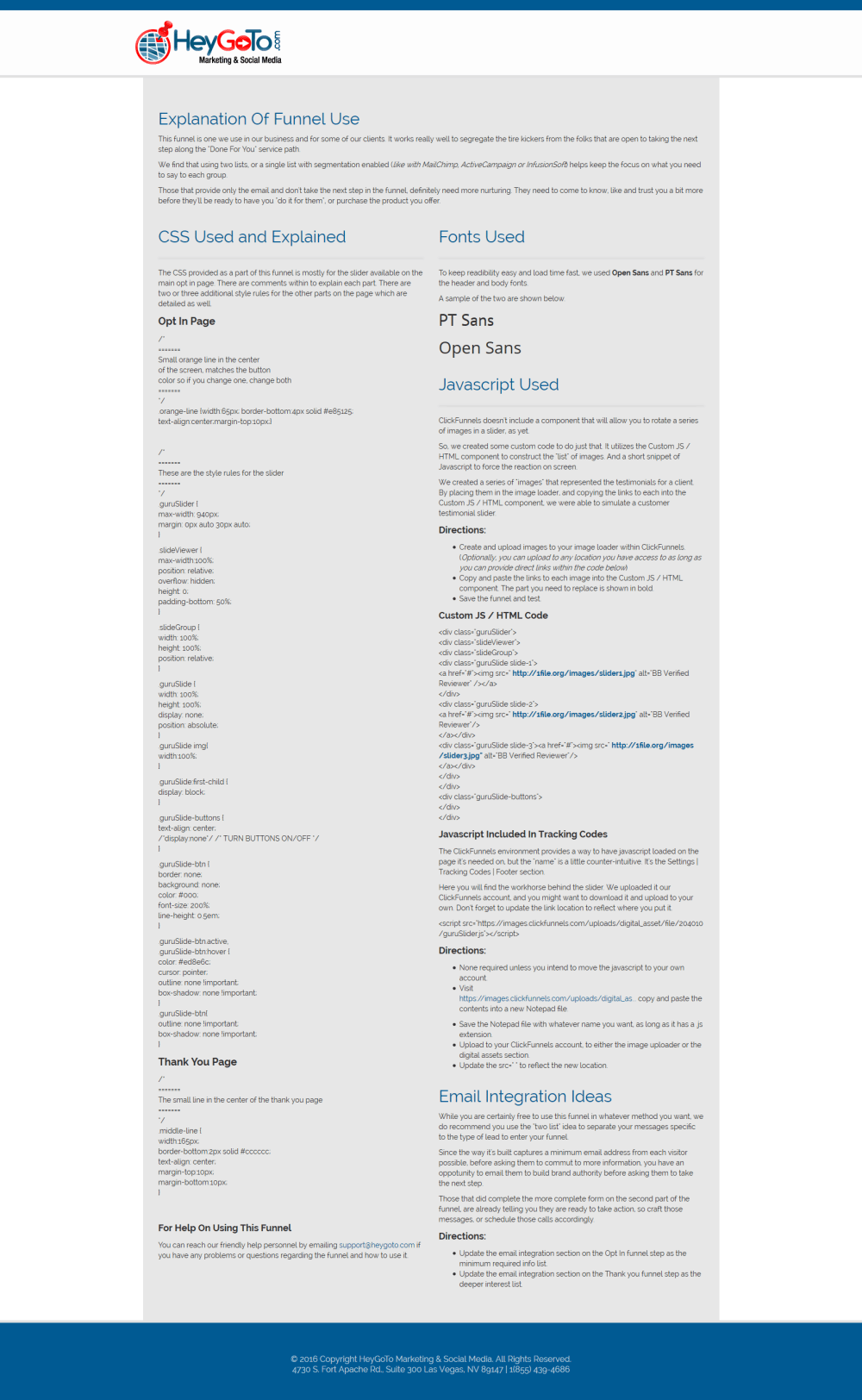
Funnel Training
This funnel features an additional page within the funnel (that is never reached by the public). This page contains directions for you on using the funnel, best practices, what to replace with your own assets and how to update the slider.