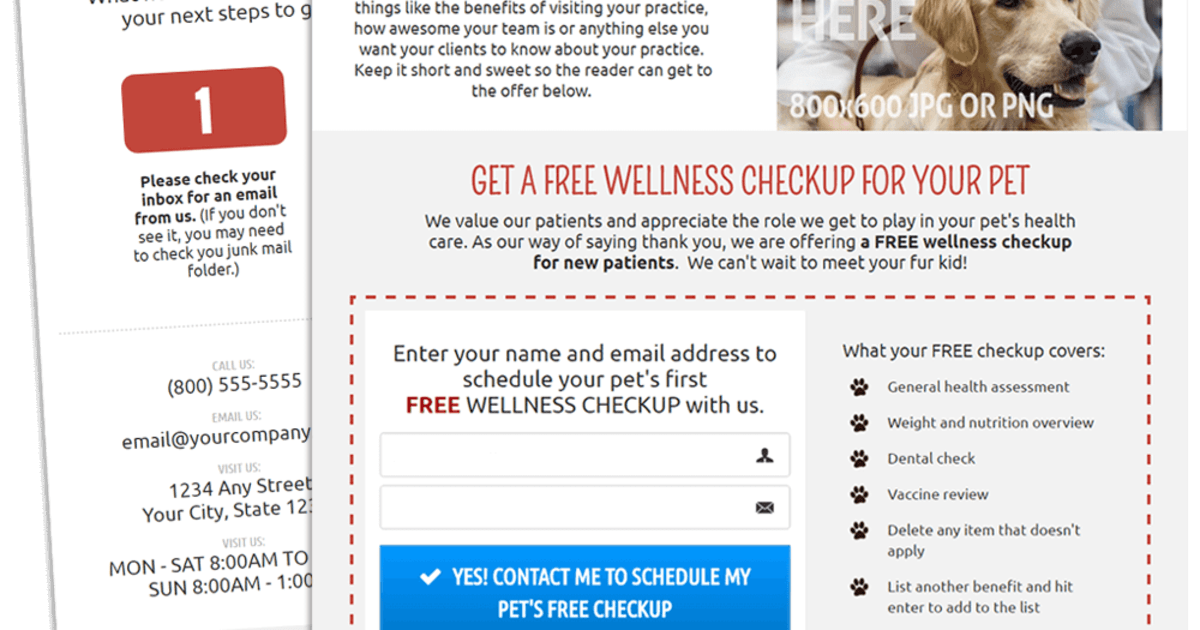
2 pages 0 emails
3 Screenshots
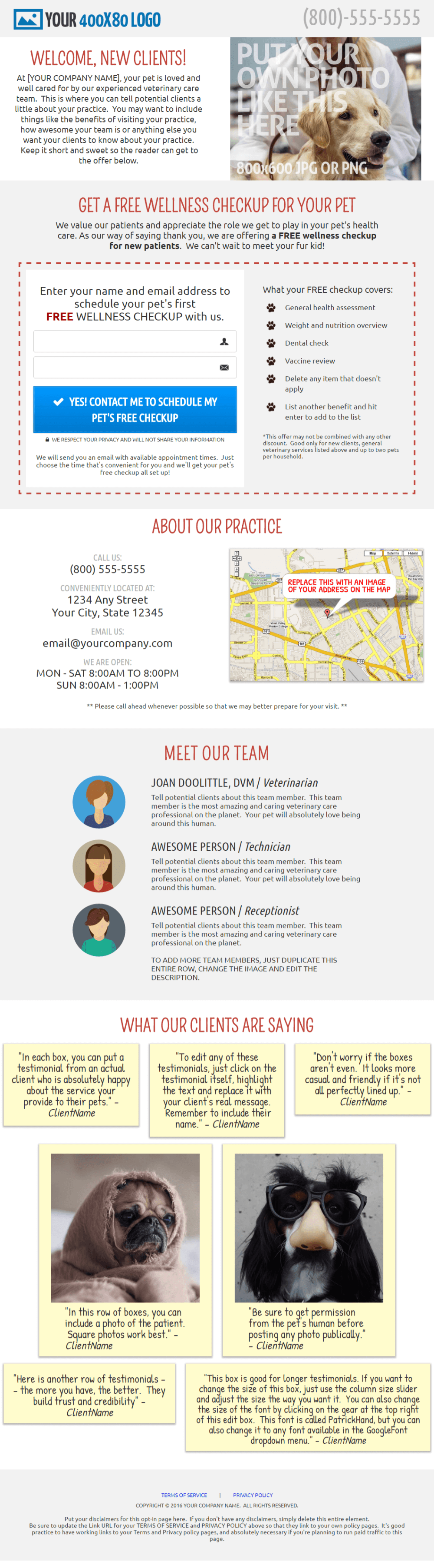
Opt-in Page
Clean and simple opt-in page: The opt-in page includes 7 sections you can customize to show off your business. 1) HEADER: Brand the page with your logo and phone number at the top of the page; 2) WELCOME: Introduce your practice and share a photo that represents your business; 3) OPT-IN: Offer a FREE (or discounted) exam in exchange for their email address. You can specify what you want to include in the FREE exam with the editable bullet list; 4) ABOUT: Share your phone number, location, email address and hours of operation, along with a screenshot of your location on a map; 5) MEET THE TEAM: Introduce each team member, complete with placeholders for each team member's photo; 6) TESTIMONIALS: Show off the great things your current clients are saying about you; 7) FOOTER: Provide Terms and Privacy policy links required by most advertising platforms.
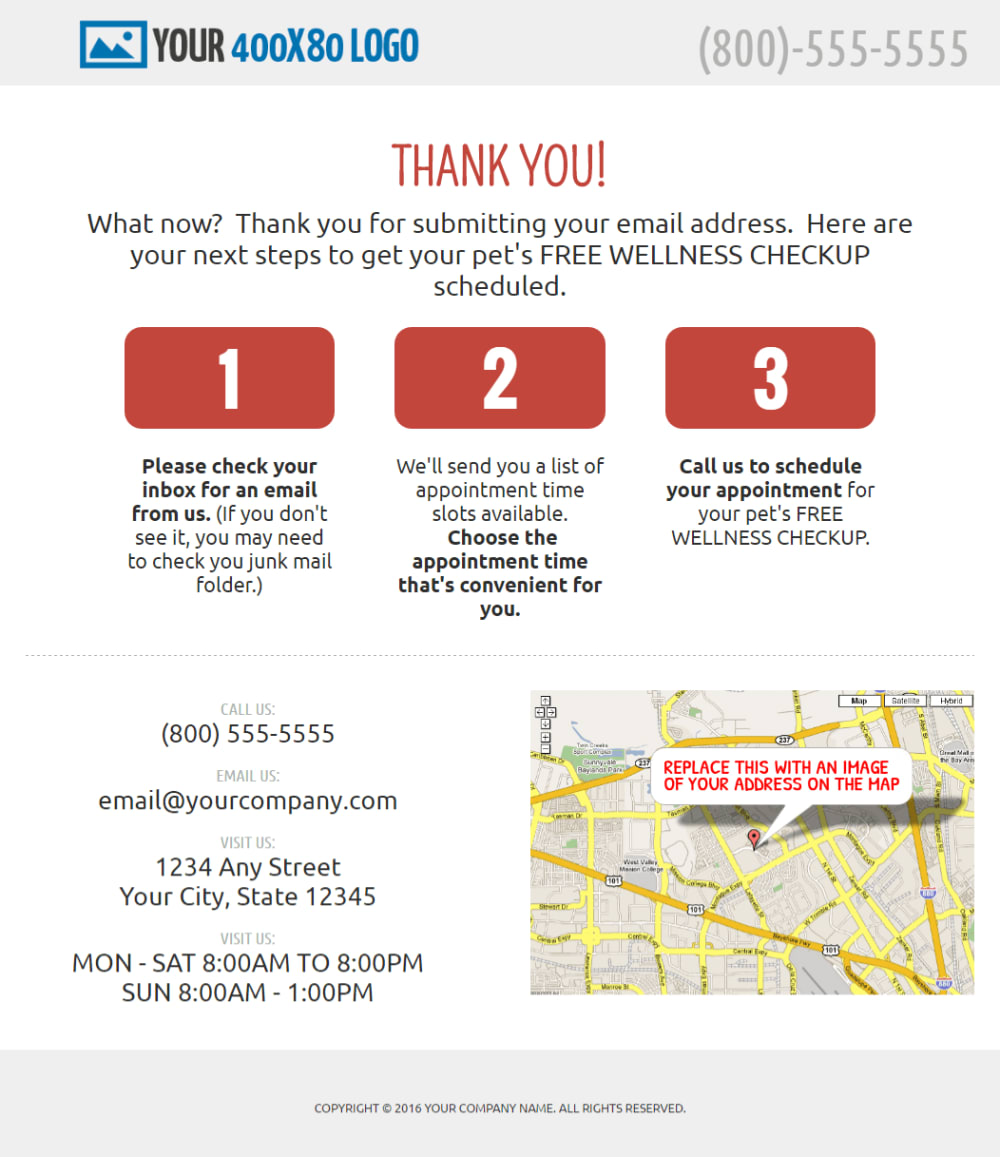
Thank You Page
The thank you page lets visitors know that their email address was submitted correctly. It also details the next steps for the visitor.
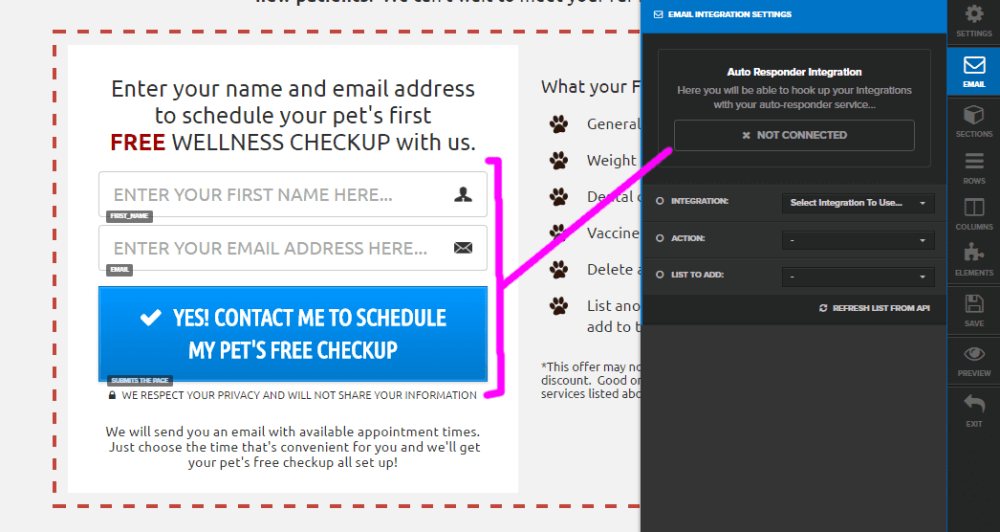
Integrate Autoresponder
Remember to integrate the autoresponder (under Email Integration Settings) so that when your visitors click the submit button, they are automatically added to the email list of your choice.
Frequently asked questions
- How do I change the link URL for Terms of Service and Privacy Policy?
- The Terms of Service and Privacy Policy links are part of a navigation element. Just click on that navigation element to edit. Enter the URLs to your TOS and privacy policy in the corresponding fields.
- Who can I contact with questions?
- If you need any help customizing this funnel for your business, please feel free to send an email to ane@funnelbeast.com.
- How do I remove or change the favicon?
- The funnel comes with a generic paw print favicon. If you want to get delete the favicon, go to the funnel's settings and delete the Favicon URL. To change the favicon, you have to first upload a new favicon (32px x 32px) to your Digital Assets, copy the link URL of your new favicon and go into your funnel's setting and replace the Favicon URL.