4 pages 0 emails
3 Screenshots
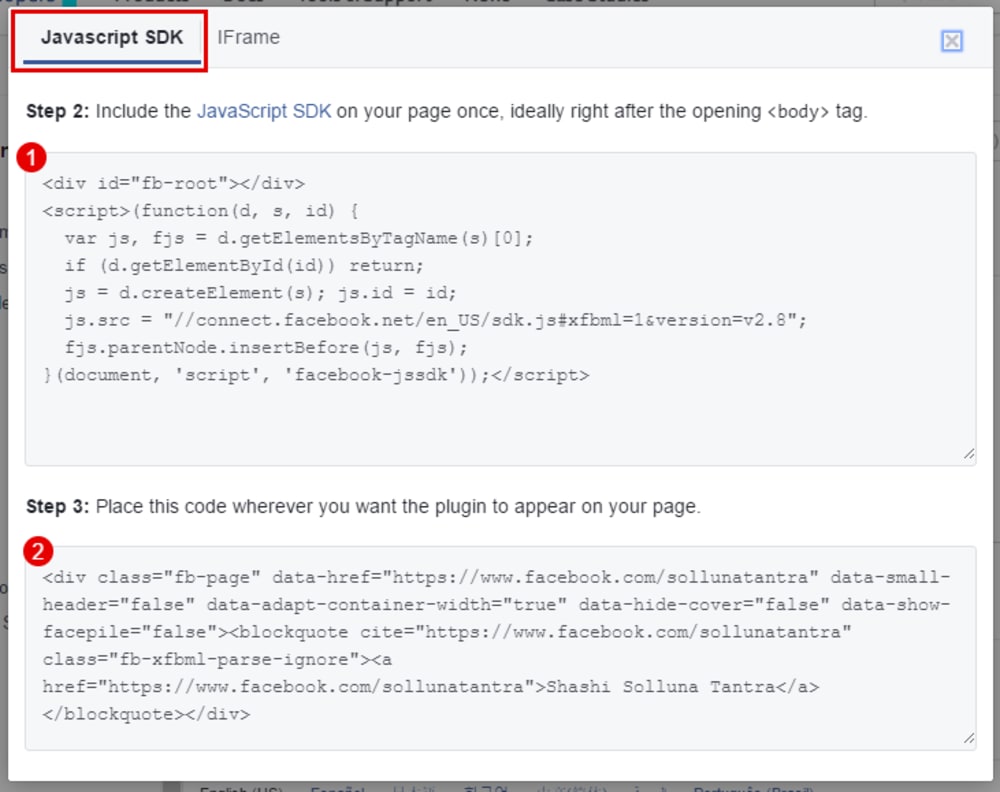
Getting the Embed Code
Facebook will give you two options on how you would like to embed your Facebook Page Plugin in your page. Please use "JavaScript SDK" as shown in the screenshot. It will give you two codes which you will need to copy and paste in a "custom html/js" element on clickfunnels.
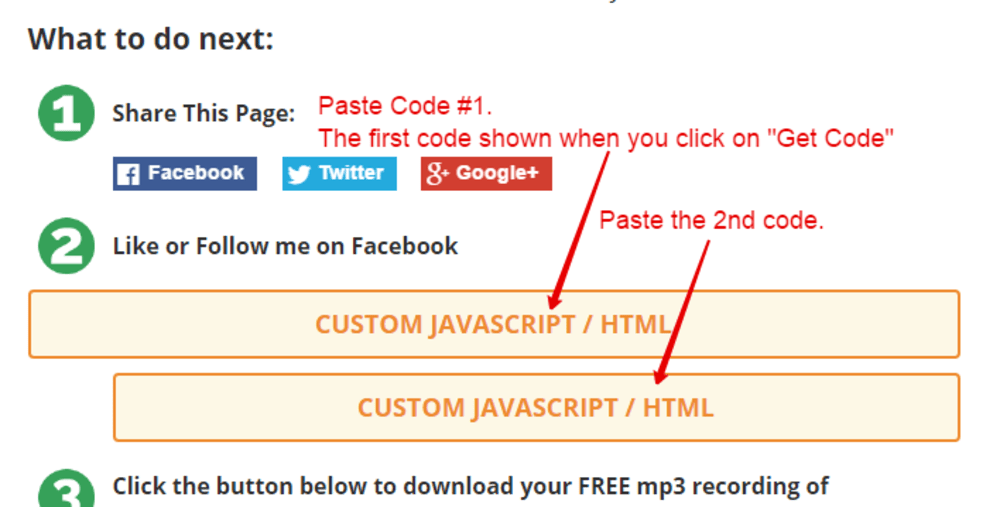
Embedding the FB Page Plugin
To embed the Facebook Page Plugin to clickfunnels you will need to use a "custom html/js" element. I marked the codes above as 1 and 2. Embed those codes as shown in the screenshot below.
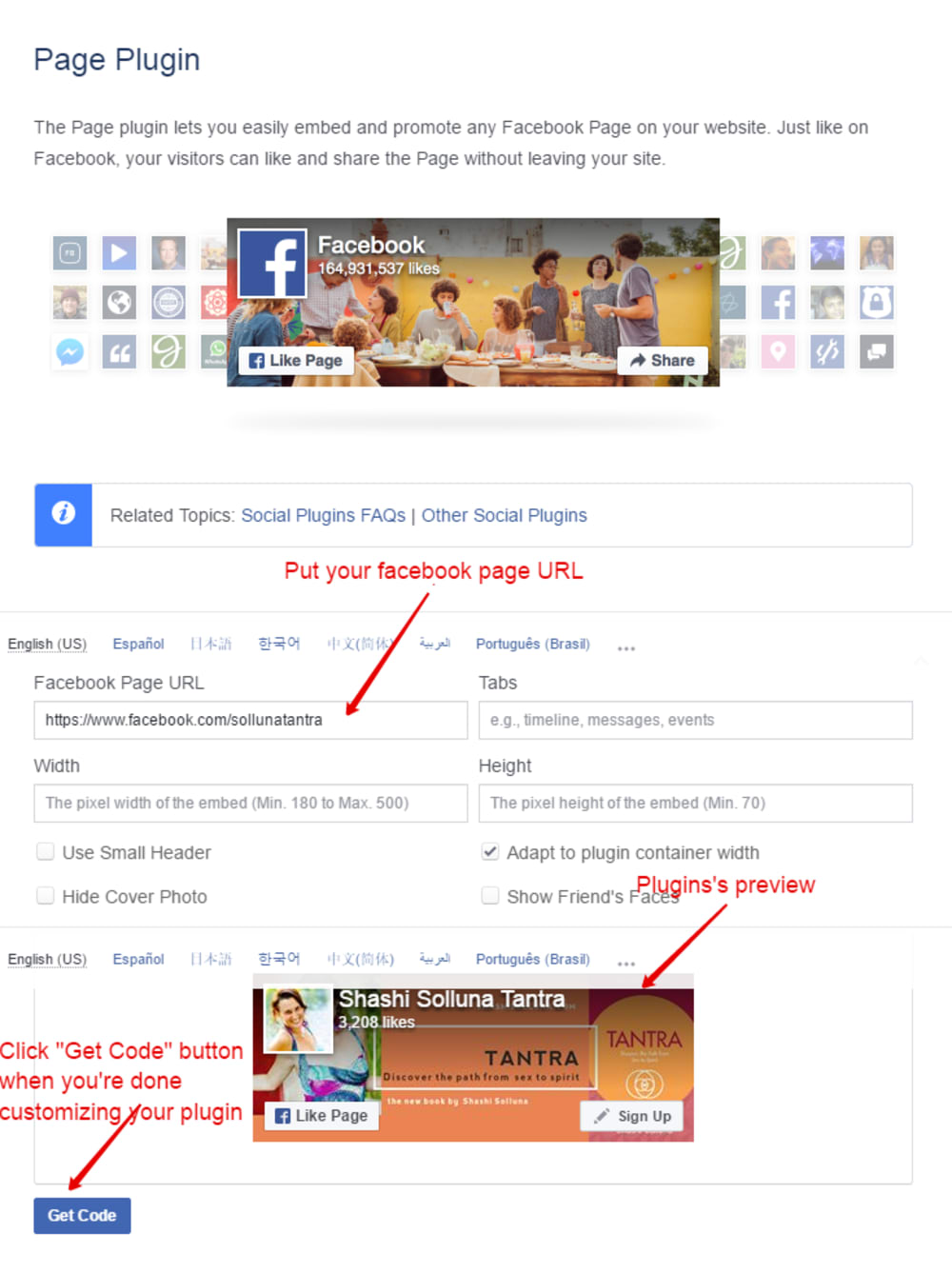
Facebook Page Plugin
Here's the link where you can create a Facebook Page Plugin. https://developers.facebook.com/docs/plugins/page-plugin Just follow the guide included in the instructions and you should be able to create an awesome plugin for yourself. *Take note this is a "Page Plugin" so you need to have a "Facebook Page" to be able to use it. You cannot use your personal facebook profile.